

Generate CyberSource Security Keys
CyberSource requires a security key be sent with each transaction for authentication purposes.
Go to the appropriate Business Center and log in with your Username and Password.
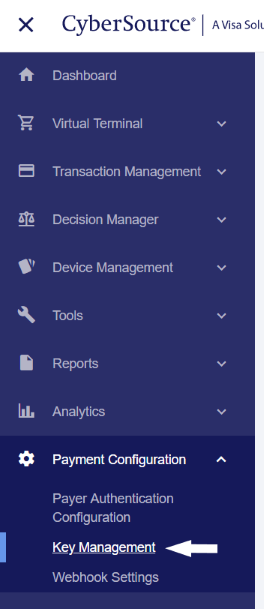
In the left navigation menu, select "Payment Configuration" and then "Key Management".
Click the Generate Key button.

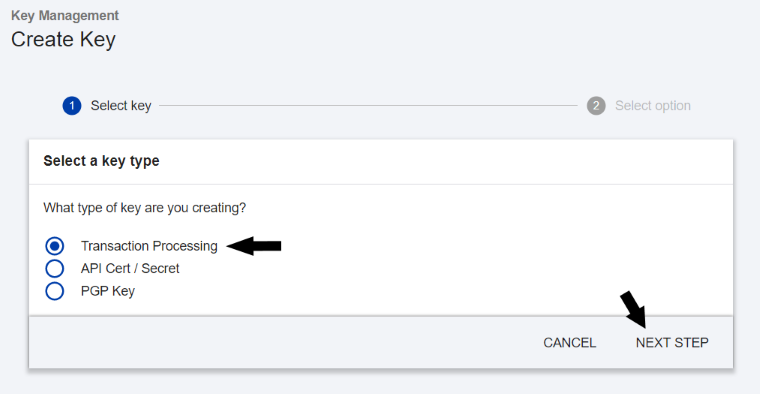
Select "Transaction Processing" as the type of key, then click "Next Step".
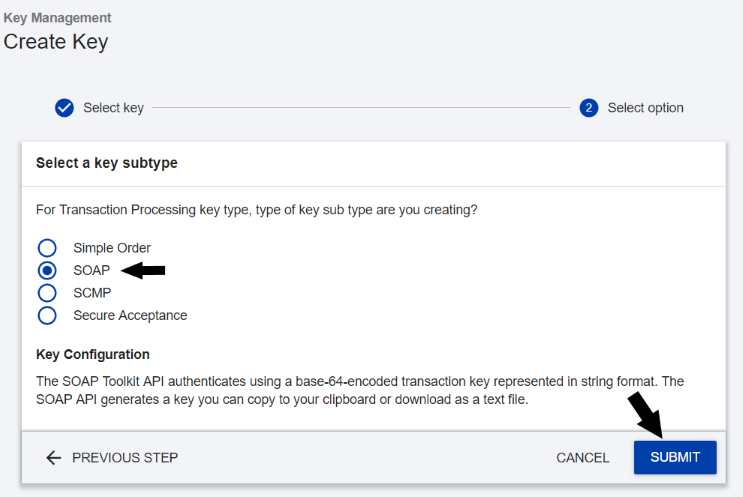
Select "SOAP" as the key type, then click "Submit".
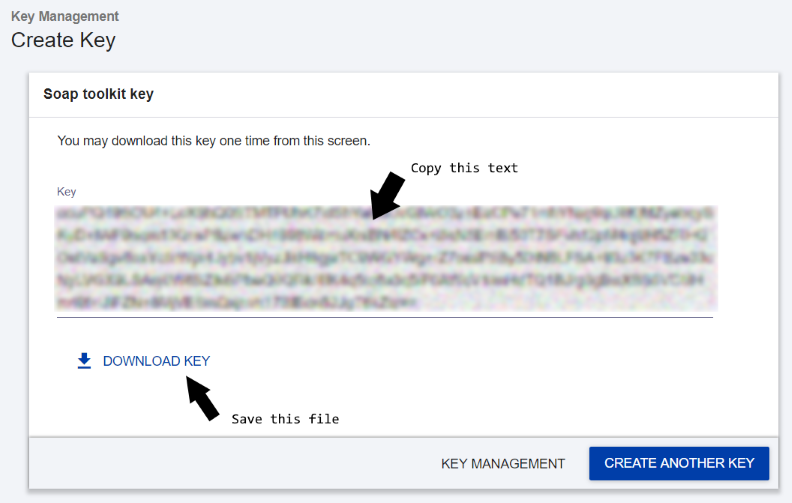
Download the generated key and save the file on your computer. This will be the only time you can view this key in the Business Center. You can also copy the text of the key from this screen.
Once generated, you will need to add this value to the WSPASS field in the CTICFGMCH DB2 file along with the merchant ID. You can do this using the UPDDTA command, or any other utility you may be comfortable with for direct DB2 file modification.
The record you create or modify should look similar to the below. You will need to do this for each merchant ID you have, for each environment (test or live/production).
| MERCHANTID | WSUSER | WSPASS |
|---|---|---|
ikrengel |
ikrengel |
9uU+8Ob9S+V+z0s6TotF6Jx4VyKpkSOAiNA6Mm... |