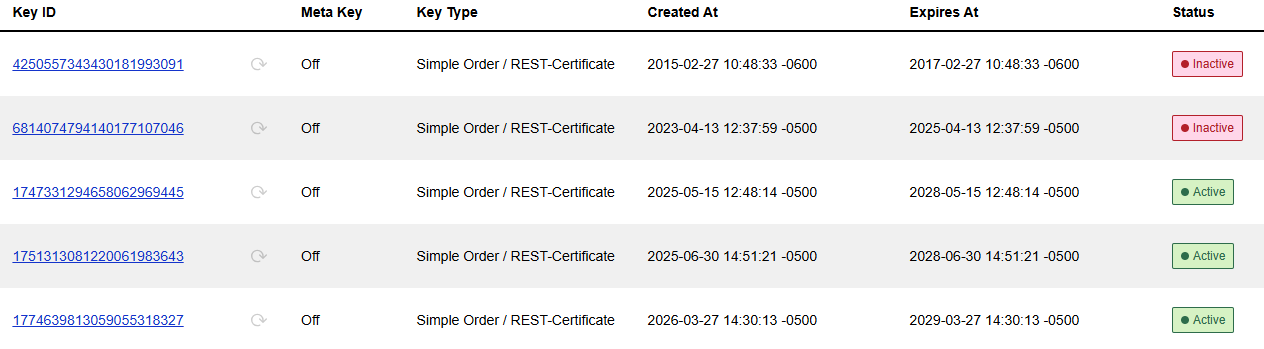
Search for CyberSource P12 Certificates
CyberSource requires a security key be sent with each transaction for authentication purposes. The keys are provided by CyberSource in the form of a P12 certificate. Each P12 has an expiration date which you can view in the CyberSource Business Center.
P12 certificates must be replaced before they expire to prevent authentication failures and service disruption.
Go to the appropriate Business Center and log in with your Username and Password.
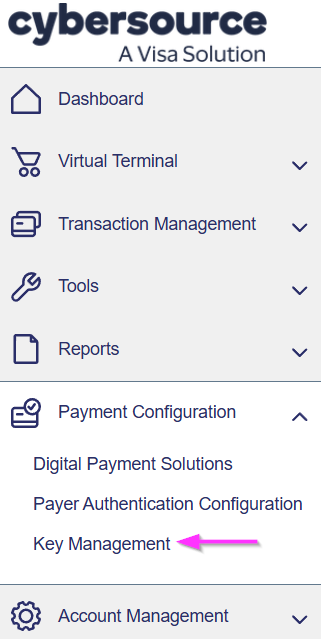
In the left navigation menu, select "Payment Configuration" and then "Key Management".
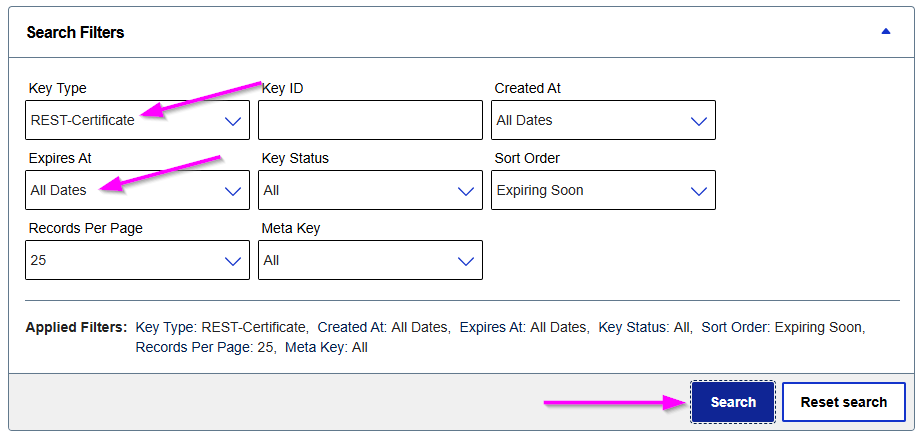
In the Search Filters, change the "Key Type" and "Expires At" fields to match the below image, and then click "Search".
The search results will show a list of all P12 certificates along with their expiration date and status.